Welcome back to the Customer Care Channel community. Today, we’re diving into a topic that can genuinely reshape your business when used intentionally: how to use AI to enhance your customer experience — ethically, safely, and without losing your unique personality.
Because here’s the truth: AI isn’t here to replace people; it’s here to support them.
Think of it as your quiet assistant… organising messages, analysing feedback, and clearing space in your day so you can do what actually matters: connecting with customers like a real human being.
And businesses who get this right?
They’re saving hours every single week, improving response times, and actually increasing customer satisfaction — without losing authenticity.
The key is using AI in a way that amplifies your care, not replaces it.
So let’s break down three simple, accessible ways you can start using AI in your business today.
Listen here:
What Is the Best Way to Use AI in Customer Experience?
The best way to use AI in customer experience is to combine automation with human empathy. Use AI for repetitive tasks—such as drafting emails, answering FAQs, and analysing feedback—while you add the personal connection, warmth, and decision-making AI can’t replicate.
How Can Small Businesses Use AI Without Losing the Human Touch?
Start small, be transparent with customers, and personalise every AI-supported interaction. Let AI create structure and speed, and then you add the emotion, storytelling, and human connection your customers value most. Be as specific as possible when using your AI tool to save yourself time and effort. Create easy to grab AI prompts to use as and when needed to save rewriting the same requests again and again.
AI in Customer Experience
1. AI-Powered Email Responses (Your New Secret Time Saver)
If you spend half your life writing the same emails over and over again, AI can genuinely give you hours back.
Tools like Gmail Smart Reply and customer support platforms can help you draft thoughtful responses in seconds. You still review everything, you still personalise it, but you’re no longer spending precious time staring at a blinking cursor. This is exactly like using standardised responses and adapting for each customer, but the difference is you are not writing the first draft…the AI tool is.
Use AI for the structure — You add the warmth, empathy and humanity.
2. Chatbots for FAQs (Designed With Your Tone + Empathy)
If your inbox gets the same questions on repeat — shipping times, rescheduling, product info — a chatbot can take that weight off your shoulders.
And before you picture one of those robotic, soulless bots, hear me out…
A well-designed chatbot can (and should) sound like you.
Same tone, empathy and clarity. You just need to train it right! So, don’t rush this task.
It simply frees you up to focus on the conversations that need your personal touch.
3. AI Feedback Analysis (Your Shortcut to Better Decisions)
AI tools can scan reviews, surveys and social mentions to highlight recurring themes:
- What are customers consistently loving?
- What are they struggling with?
- Where is your service slipping?
- Which team member is getting raving praise?
These insights let you make better decisions, faster — without manually digging through mountains of feedback.
Why You Won’t Lose Authenticity (If You Do This Right)
I know one of the biggest fears around AI is losing the personal connection.
But AI only becomes “cold” when it replaces the human — not when it supports them.
Try this workflow:
- Let AI draft the first version.
- Then you add the empathy, the story, the appreciation and the nuance.
Or even better —
Tell the AI your story first and let it write with your voice from the beginning.
Your brain + AI = The perfect blend of efficiency and genuine connection.
How to Safely Implement AI in Your Business
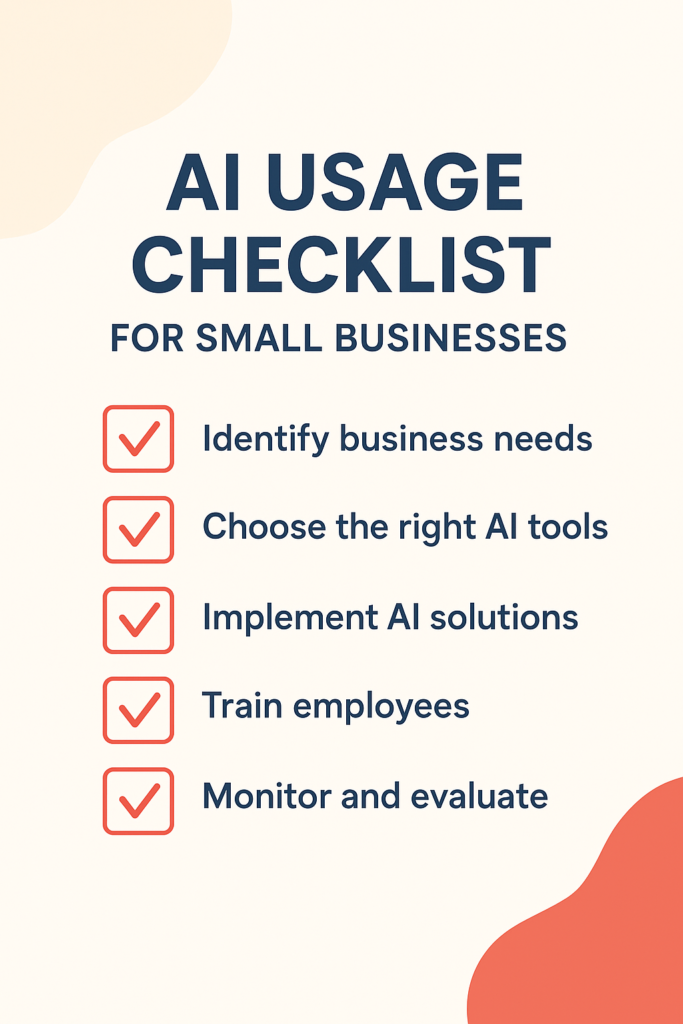
Rolling out new tools should always be done thoughtfully. My Customer Experience course teaches a full change-management process for implementing improvements or changes in your business, but here are the core golden rules:
✔ Start small & plan
Test AI in one simple area — like email drafts or feedback summaries.
✔ Be transparent
Let customers know if they’re speaking with an automated system.
✔ Monitor weekly
Check tone, quality and accuracy regularly. If customers are dropping off, this could be because of an issue or the customer is becoming frustrated.
✔ Protect customer data
Never put private information into random or unverified AI tools.
When done ethically, AI can enhance your brand — not dilute it.
A Real Client Example (One of My Favourites)
One of my coaching clients runs a small online bakery.
She was spending hours replying to the same enquiries every single day.
Once we added a warm, friendly chatbot to her website:
- Customers got instant answers
- She regained 10 hours a week
- She used that time to improve packaging + create new seasonal items
- And she finally had the energy to show up for conversations that really mattered
Her customer satisfaction went up, not down — because she wasn’t rushed or overwhelmed anymore.
That is the magic of AI done right.
Your Action Step for This Week
Choose one repetitive task that drains your energy:
- responding to FAQs
- logging feedback
- writing the same emails
- chasing the same details
Then ask AI to help you do it faster — without losing your personal touch.
Start small. Test one tool.
See what happens.
And if you want help planning it all out, download the Customer-Focused Business Planner inside my free Customer Success Kit. It’ll guide you step-by-step.
AI isn’t the future — it’s the now.
Use it ethically.
Use it intentionally.
And use it to free yourself up to care more deeply for your customers.
Now we are all here for saving time and providing the best service we can aren’t we, take a look at these next:
- Common Customer Service Mistakes (and How to Fix Them)
- Time-Saving Strategies for Small Business Owners
Frequently Asked Questions
AI improves customer experience by speeding up response times, analysing feedback quickly and handling repetitive tasks so human agents can focus on meaningful conversations or being creative.
Small businesses use AI for email drafting, chatbots, feedback analysis, scheduling and customer service automation — always with a human review layer to keep interactions warm and personalised.
No. AI supports repetitive tasks, but genuine empathy, problem-solving and emotional intelligence still require a human.
Be transparent, start small, test regularly and choose reputable tools that protect customer data.
Yes — when used thoughtfully, AI speeds up responses and reduces mistakes, which boosts satisfaction while giving you more time for genuine interactions. Imagine the customer not having to wait for an answer to a question just because you are busy at this moment in time…the AI tool will be programmed to answer the FAQ for you.
Train your AI tools with examples of your voice. Always personalise drafts before sending.
Start with repetitive tasks like FAQs, email drafts, feedback summaries or order updates.
Use trusted platforms with strong security policies and avoid entering private customer details into unverified apps.
Absolutely. Most tools today are user-friendly and designed with beginners in mind. You can learn by using AI tools like chatgpt, try asking random questions and learn about what it can do. Do you need a recipe? Or even how can you help me with my emails?